What Is a Headless Stack? How APIs, Frontend and Backend Connect
Updated: 2 days ago

A headless stack is a software architecture that separates the frontend, the interface a visitor sees, from the backend, the data and business logic behind it, connecting the two only through an API.
That separation means a design team can rebuild the interface in a new framework without touching the database, and an infrastructure team can swap a payment provider without redeploying the UI. Neither side waits on the other.
The pattern has become the default for teams shipping frontends with AI tools. A generated interface still needs somewhere to store orders, manage bookings, or run a content model, and a headless stack is how that connection gets made.
Quick Answer: A headless stack splits an application into two independent pieces: a frontend that renders the interface, and a backend that stores data and runs business logic. An API sits between them, passing requests and structured data back and forth. Developers can change either side, swapping a frontend framework or a backend service, without rebuilding the other.
How a Headless Stack Separates Frontend and Backend
A traditional stack bundles the interface and the data layer into one application, so a template change and a database migration both touch the same codebase. A headless stack keeps them apart on purpose.
Wix Headless developer docs documents this pattern for teams connecting a custom frontend to a hosted business backend. The docs cover authentication, data models, and the REST and SDK methods a frontend calls to read or write data.
Frontend — the code that renders pages, screens or components, built in React, Vue, Astro, or any other framework.
Backend — the service that stores data and runs business logic: inventory, bookings, user accounts, content.
API — the contract between them, usually REST or GraphQL, that lets the frontend request and update backend data without knowing how it's stored.
Wix Headless isn't a website builder with some API access added on top. It's a full business backend with commerce, bookings, events and a CMS that you connect to in one prompt. You build and own the frontend however you want, and Wix runs everything underneath it.
Attribution: Dor Chaouat, Frontend Developer, Wix
The nuance: Splitting frontend from backend doesn't remove complexity, it relocates it. Someone still has to run the backend service, handle its uptime and secure its API — a headless stack just lets a frontend team stop being that someone.
Frontend, Backend and API: How the Three Layers Work Together
The frontend never talks to a database directly. It sends a request to the API, asking for a product list, a booking slot, or a page's content, and the API decides what the backend returns.
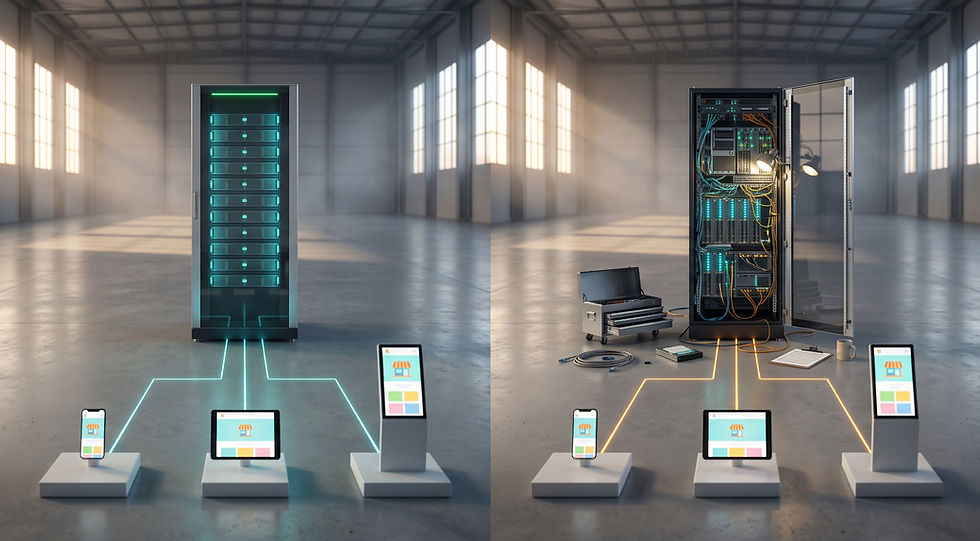
The backend responds with structured data, usually JSON, and the frontend decides how to render it: a card, a table, a modal. The same backend can feed a website, a mobile app and a kiosk from that one API, because none of them care how the data is stored.
This is also why a headless stack scales differently than a bundled one. Traffic to the frontend and load on the backend can be measured, cached and scaled separately, instead of one server handling rendering and data access at the same time.
For a team assembling this themselves, provision a Wix Headless commerce backend and replace months of building payments, order management and bookings infrastructure from scratch with an API that's already live.
Here's the subtlety: A fast frontend doesn't guarantee a fast stack. If the API makes several round trips to assemble one page, the frontend inherits that latency regardless of how well it's built — the backend's response shape matters as much as its uptime.
Traditional Stack vs. Headless Stack: A Side-by-Side Comparison
Aspect | Traditional Stack | Headless Stack |
Frontend and backend | Bundled in one application | Separated, connected by an API |
Framework choice | Limited to what the platform supports | Any frontend framework |
Adding a new channel (app, kiosk) | Often requires a new build | Reuses the same backend API |
Backend changes | Can require a frontend redeploy | Frontend is unaffected |
How to Build a Headless Stack
Building a headless stack follows a consistent order regardless of which tools end up in it:
Pick a backend that covers the business logic you need — data storage, and for commerce sites, payments, inventory and order management.
Pick a frontend framework independently of that choice — React, Vue, Astro, or a static site generator all work, since the API doesn't care which one calls it.
Connect the two through the backend's REST API or SDK, authenticating requests so the frontend can read and write data securely.
Handle authentication for visitors and members separately from the API itself, since a leaked key or token is the most common way a headless setup gets exposed.
Deploy the frontend and backend on their own schedules — that independence is the entire point of splitting them.
Teams skip steps in this order more often than they change the tools themselves — picking a frontend framework before confirming what the backend's API actually returns is the most common reason a headless project stalls midway through.
Frequently Asked Questions About Headless Stacks
What is the difference between a headless stack and a traditional stack?
A traditional stack renders pages and stores data in one application, so a frontend change and a backend change happen in the same codebase. A headless stack keeps the two separate, connected only by an API, so either side can change without the other.
Does a headless stack always use a headless CMS?
No. A headless CMS handles content specifically, but a headless stack is the broader pattern. It can also cover commerce, bookings, authentication, or any backend service, as long as it's reached through an API rather than bundled with the frontend.
What is an API-first stack?
An API-first stack is one where the API is designed before any frontend or backend code is written, so every client, whether web, mobile, or a third-party integration, reaches the same well-defined contract instead of one built around a single frontend's needs.
Can a headless stack use serverless functions?
Yes. Serverless functions are a common way to run the backend logic in a headless stack, since they scale automatically with API traffic and remove the need to manage a server.
Is a headless stack harder to maintain?
It shifts maintenance rather than adding it. A single bundled app becomes two smaller, independent pieces, each simpler on its own, though a team now needs to track both the frontend and the API contract between them.
A Headless Stack Buys You Room to Grow
A headless stack costs a little more coordination upfront, two things to build instead of one, in exchange for a frontend and backend that can each change, scale or get replaced without dragging the other along.
That trade-off tends to pay off exactly when a team least expects to need it: a new mobile app, a second frontend for a different market, or a backend migration that would otherwise mean rebuilding the interface too.
For a team that would rather not build that backend from scratch, Try Wix Headless — it provides commerce, bookings, a CMS and authentication behind one API, ready to connect to whatever frontend gets built.


Comments